


AR Plan 3D Tape Measure, Ruler
4.34.68K Reviews
App Specs
- Version
- 5.0.5
- Updated On
- License
- Free
- Downloads
- 10,000,000+
- Developer
- Grymala apps
- Categories
- Tools
- Platform
- Android, iOS
Screenshots
 Analysis by AppCompare
Have you ever found yourself measuring a room with a tape measure, only to realize you’ve forgotten the numbers as soon as you look away? Or maybe you're trying to visualize how furniture will fit in a new space? Well, let me introduce you to AR Plan 3D: Tape Measure, Ruler, an app that's about to make your life a whole lot easier.
That convenience is most useful when I need a quick sense of a space rather than a certified measurement. A phone can help me think through a layout while I’m standing in the room, but it does not remove the need to judge whether the result is good enough for the decision at hand. I treat an AR plan as a practical starting point: useful for comparing ideas, less suitable as the final word when a small error could affect a costly order or a precise installation.
Getting Started with Precision
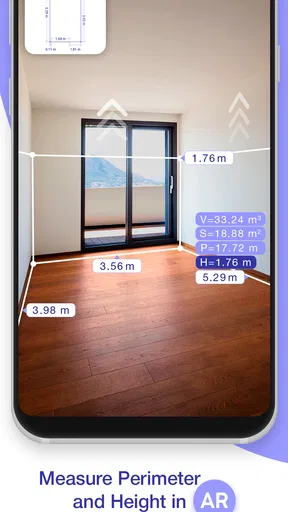
First things first, downloading AR Plan 3D is a breeze. Available on both Android and iOS, I grabbed it from the app store and was up and running in no time. The app uses augmented reality (AR) to transform your phone into a measuring device. Just point your camera at the floor, and it starts mapping out the space around you. It’s like magic with a touch of tech wizardry!
Setting it up is straightforward. You’ll need to do a bit of calibration to get the app to recognize your environment properly, but the instructions are clear and easy to follow. Once that’s done, you’re ready to measure away.
There is a small but important trade-off in this kind of workflow: the camera needs a view of the area, and the app needs the user to guide it around that area. Before beginning, I clear loose items from the floor and decide which corners or boundaries matter most. This makes it easier to keep track of what I’m measuring and reduces the temptation to accept a rough outline simply because it appeared quickly. If the room is crowded, I take the reading as an estimate and make a note to verify the dimensions that affect my plan.
For an everyday example, imagine checking whether a desk might fit into a spare room before carrying it upstairs. I would map the room, compare the available floor area with the desk’s stated dimensions, then check the doorway and the route the desk must travel separately. A room outline alone cannot answer every practical question: a piece may fit on the floor but still be awkward to turn through a narrow entrance. Thinking through the whole move is more useful than treating any single measurement as a complete answer.
Features That Stand Out
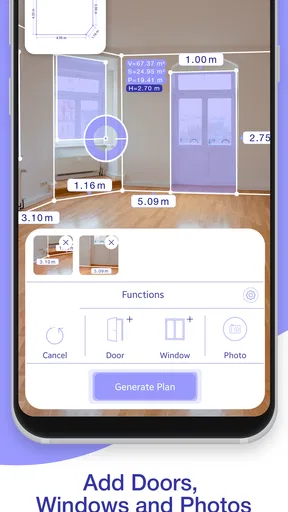
What really impressed me was the variety of features packed into this app. You can measure distances, calculate area and perimeter, and even visualize furniture placement. Imagine being able to see if that new couch will fit in your living room without having to move a muscle!
Worth Reading Before You Choose

EA SPORTS FC Mobile 26 Is a Bigger Football Game, but It Takes Time

Flipboard Shows What News Apps Must Do Beyond the Feed

Switching to Android Auto Means Rethinking Your Driving Routine

Google Calendar Makes a Crowded Week Easier to Manage

Ludo King Makes the Most of the Minutes Between Plans

Baby Panda World Brings Quick Play to Modern Phones, but Its Game Library Feels Busy
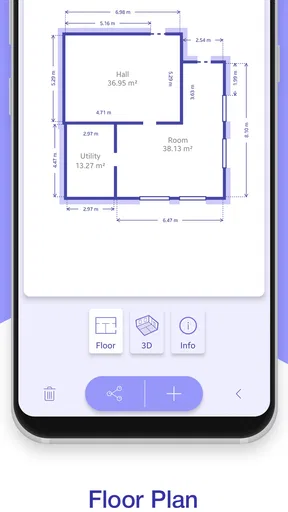
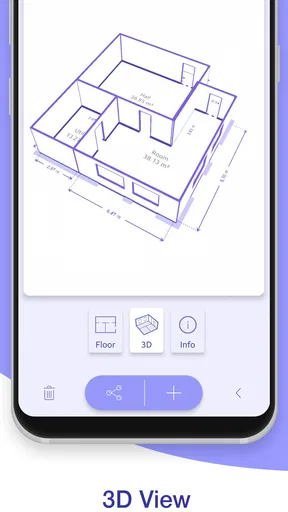
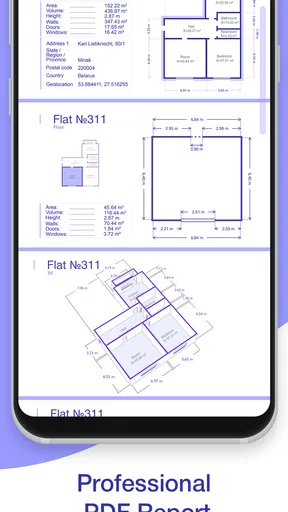
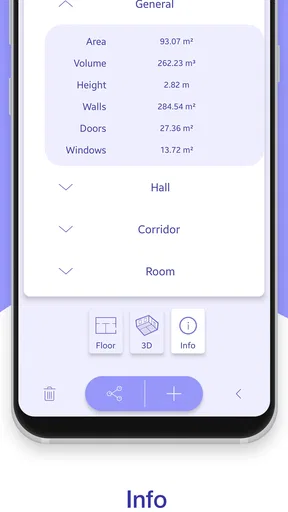
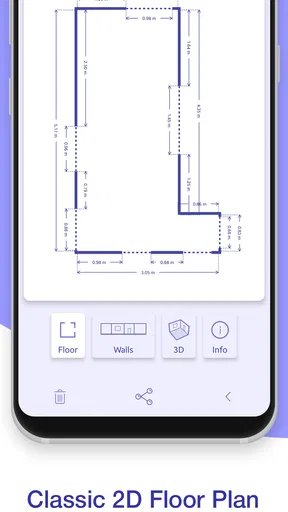
The app allows you to create floor plans and even export them in different formats. This is incredibly useful if you're planning renovations or just want to keep a record of your space. Plus, the app’s interface is intuitive, so you won’t be fumbling around trying to figure out how to use it.
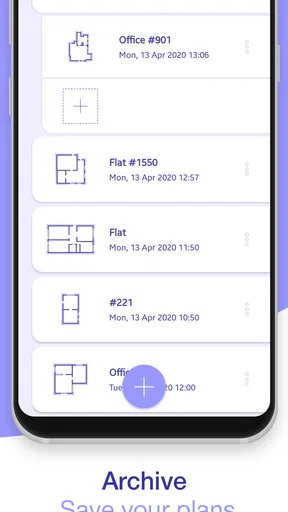
A floor plan is most helpful when I make it for a clear purpose. For a furniture comparison, I focus on the room outline and the dimensions that determine placement; for a renovation conversation, I would want a more complete record and would check important lengths with a physical tape. One useful habit is to name or save plans in a way that tells me what they represent, such as the room and the date I measured it. That makes exported plans easier to distinguish later if I revisit a project or compare alternative layouts.
Compared with a standard tape-measure app that asks me to measure one line at a time, the appeal here is the connection between measurements and a room plan. A physical tape is still simpler when I need one exact length, especially if the target edge is easy to reach. A sketch on paper can be faster for a rough idea, but it is less convenient to revise or share. I see this app as a middle ground: more visual than a single measurement tool, but not a substitute for careful site measuring when the stakes are high.
Accuracy and Reliability
Now, I know what you’re thinking – can an app really replace a traditional tape measure? In my experience, the answer is yes, with a slight caveat. While the app is impressively accurate, it’s always a good idea to double-check with a traditional tape measure for critical projects. But for everyday needs and rough estimates, AR Plan 3D works like a charm.
- Measure distances and heights
- Calculate area and perimeter
- Create detailed floorplans
- Visualize furniture placement
For best results, I would avoid rushing from one side of a room to another. I pause to check that the camera can see the surfaces I’m tracing and pay attention to whether the floor or walls give the app clear visual references. Shiny, dim, visually plain, or cluttered areas can make an AR measurement workflow harder to manage, so I would be cautious about trusting a result obtained under poor conditions. If one dimension looks surprising, I would repeat it and compare it with a tape rather than adjusting a furniture plan around a doubtful figure.
This distinction also answers a common practical question: can I use it for buying furniture? Yes, as an initial screening tool, especially to rule out options that are obviously too large. Before placing an order, I would verify the specific width, depth, and height that matter with a traditional measure, and account for clearance around doors, drawers, and walkways. The app can support that decision, but it cannot know how much space I personally want to leave for comfortable movement.
User Experience and Design
I’m all about user experience, and this app doesn’t disappoint. The design is sleek and modern, with a user-friendly layout. Everything is where you’d expect it to be, and the app is responsive without any noticeable lag. Even if you’re not tech-savvy, you’ll find this app straightforward to navigate.
One thing I particularly appreciated was the help section. It offers quick tips and a handy FAQ section to guide you through any hiccups you might encounter. It’s like having a friendly assistant in your pocket!
Ease of navigation matters here because measuring already asks me to divide my attention between the screen and the room. Clear instructions and a help section are useful when I forget a step, but I still prefer to learn the basic sequence in a calm, uncluttered space before trying it in a busy home. Someone who finds camera-based tasks tiring may want to take breaks and measure one room at a time rather than attempting an entire property in one session.
There are also situational access considerations. A person who cannot comfortably hold a phone steady, move around a room, or reach a particular corner may find AR measurement more demanding than a helper using a tape measure. Likewise, a bright screen or camera-based interaction may not suit everyone’s sensory preferences. I would not assume the app removes those barriers; its value depends on whether the person can comfortably handle the phone and see the relevant surfaces. When that is difficult, another person can help operate the device, or a conventional measuring method may be the more dependable choice.
The app is a practical fit for renters planning furniture, homeowners sketching a room before redecorating, and DIY users who want a convenient record to discuss with someone else. It may also help someone compare how a room could be arranged without repeatedly moving heavy items. I would skip it as the sole tool for trade work, custom cabinetry, precise cutting, or any job where a small dimensional error could waste materials. In those situations, direct measurement and professional checking are more appropriate.
Final Thoughts
So, is AR Plan 3D: Tape Measure, Ruler worth downloading? Absolutely. Whether you’re a DIY enthusiast, a professional contractor, or just someone who loves a well-organized space, this app is a valuable addition to your toolkit. It combines the best of technology and practicality, making everyday tasks simpler and more efficient.
My recommendation is enthusiastic but conditional: use it to explore a room, keep a visual record, and make early layout decisions, then verify the dimensions that matter before spending money or beginning work. The contractor who already has a reliable measuring routine may find it a useful companion rather than a replacement, while a casual user may appreciate having a quick way to think in room-sized terms. Its usefulness depends less on the novelty of pointing a camera around and more on matching the result to a sensible next step.
There are a few practical details worth knowing before installing it. AR Plan 3D is a free tools app from Grymala apps, with an Everyone content rating, and it has an average rating of 4.4 from around 195,000 ratings. It has passed 10 million installs, while optional in-app purchases range from $0.99 to $119.99 per item. The current version is 4.10.3, and it requires Android 8.0 or later. I would start with the free experience and decide whether any paid option is relevant to my own workflow rather than assuming I need to buy something to take a basic measurement.
In a world where everything is becoming digital, having an app like this at your fingertips is not just convenient, it’s essential. So, next time you’re redecorating or just curious about the dimensions of your room, give AR Plan 3D a try. You might just find yourself measuring everything in sight!
Pros
- Intuitive interface makes measuring easy.
- Supports both metric and imperial units.
- Allows 3D floor plan export.
- Accurate measurements for room dimensions.
- Offline functionality available.
Cons
- Limited features in free version.
- Occasional bugs during use.
- Requires device with AR support.
- Learning curve for advanced features.
- Battery drains fast with prolonged use.
FAQs for AR Plan 3D Tape Measure, Ruler
How accurate is AR Plan 3D in measuring spaces?
AR Plan 3D offers impressive accuracy, often within a few centimeters. However, the precision can depend on lighting conditions and the device's camera quality. For best results, ensure your space is well-lit and your camera lens is clean. While it’s great for estimates, professional measurements might still be necessary for exact specifications.
Is AR Plan 3D compatible with all devices?
AR Plan 3D requires a device with ARKit (iOS) or ARCore (Android) support. Most modern smartphones and tablets are equipped with this capability, but older models may not be compatible. It's advisable to check your device's specifications or the app's compatibility list before downloading.
Does AR Plan 3D require an internet connection to function?
AR Plan 3D primarily operates offline, allowing you to measure and plan without an internet connection. However, to access certain features like cloud backup or sharing your plans across devices, an internet connection is necessary. Remember to periodically connect to ensure all features and updates are accessible.
Can AR Plan 3D export plans for professional use?
Yes, AR Plan 3D allows users to export their plans in various formats like PDF and DXF, making it suitable for professional use. This feature is particularly useful for architects and designers who need to share detailed plans with clients or colleagues. Ensure you explore the export settings for the best format.
Are there any costs associated with using AR Plan 3D?
AR Plan 3D offers a free version with basic functionalities. However, to unlock advanced features such as unlimited projects and high-resolution exports, users can opt for a subscription or one-time purchase. It's recommended to review the pricing details within the app to understand the value of the premium features.


